Service Accounts in Google Workspace: Vendor vs Customer-Owned Security Explained
Service accounts explained through a door card analogy. Understand the security difference between vendor-provided and customer-owned service accounts in Google Workspace integrations.
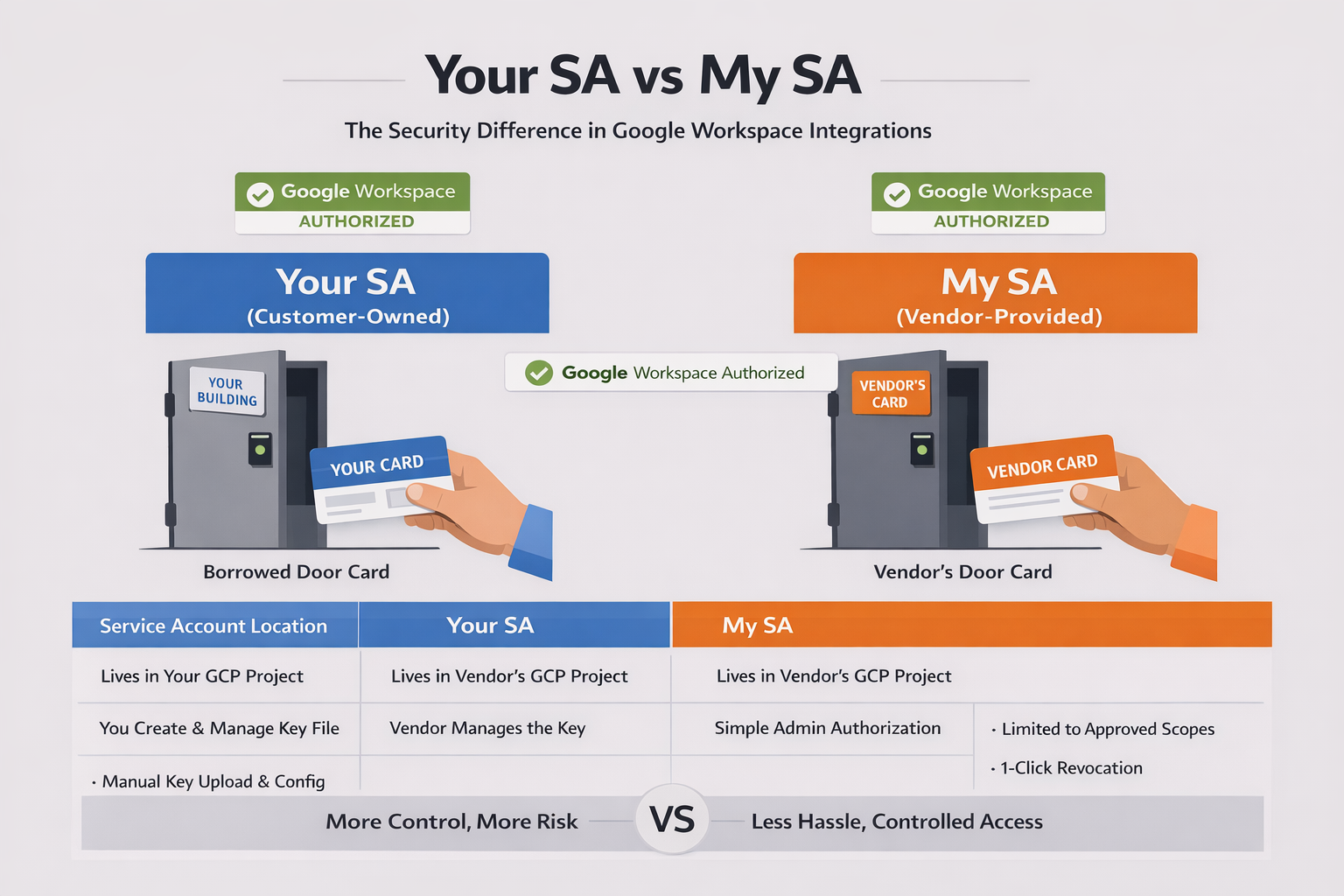
Think of a service account like a door card for a building.
When a new vendor needs access to your office, there are two ways to handle it. You can issue them one of your building's door cards — programmed with whatever access they need, managed by your facilities team, revocable at any time. Or the vendor can show up with their own manufacturer-approved card, and you just authorize it in your access control system.
Both get the vendor through the door. But the security implications are completely different.
The Door Card Problem
Every Google Workspace integration that does anything useful — reading user directories, auditing email settings, managing groups — needs a service account. That service account is the identity used to request access tokens that impersonate users in your domain through Google Workspace domain-wide delegation.
Here's where it gets interesting. That service account has to live somewhere. It exists inside a GCP project. Someone owns that project. Someone manages that service account's credentials. And that is the question most IT admins skip right past during vendor onboarding.
Who owns the service account? You, or the vendor?
Your SA: The Customer-Owned Model
In the traditional setup, the customer creates a service account in their own GCP project. You download the JSON key file. You upload it to the vendor's platform. The vendor stores it and uses it to call Google APIs.
This is borrowing your building's door card.
You own the credential. You can rotate it. You can revoke it. You control the GCP project it lives in. On paper, this sounds like the more secure option.
In practice? That JSON key file is a private key sitting in a file. It gets uploaded through a web form, stored in the vendor's database, and used from the vendor's servers. If the vendor gets breached, your key is in the breach. If someone screenshots the onboarding page, they have your key. If the vendor's backup leaks, your key is in the backup.
The door card left the building — and you no longer control where it ends up.
And there's an operational cost most teams underestimate. You need a GCP project. You need to know how to create a service account, enable the right APIs, configure domain-wide delegation in Google Admin Console, set the correct OAuth scopes, download the key, and upload it to the vendor. For a 15-person nonprofit with one part-time IT person, that's a significant lift.
My SA: The Vendor-Provided Model
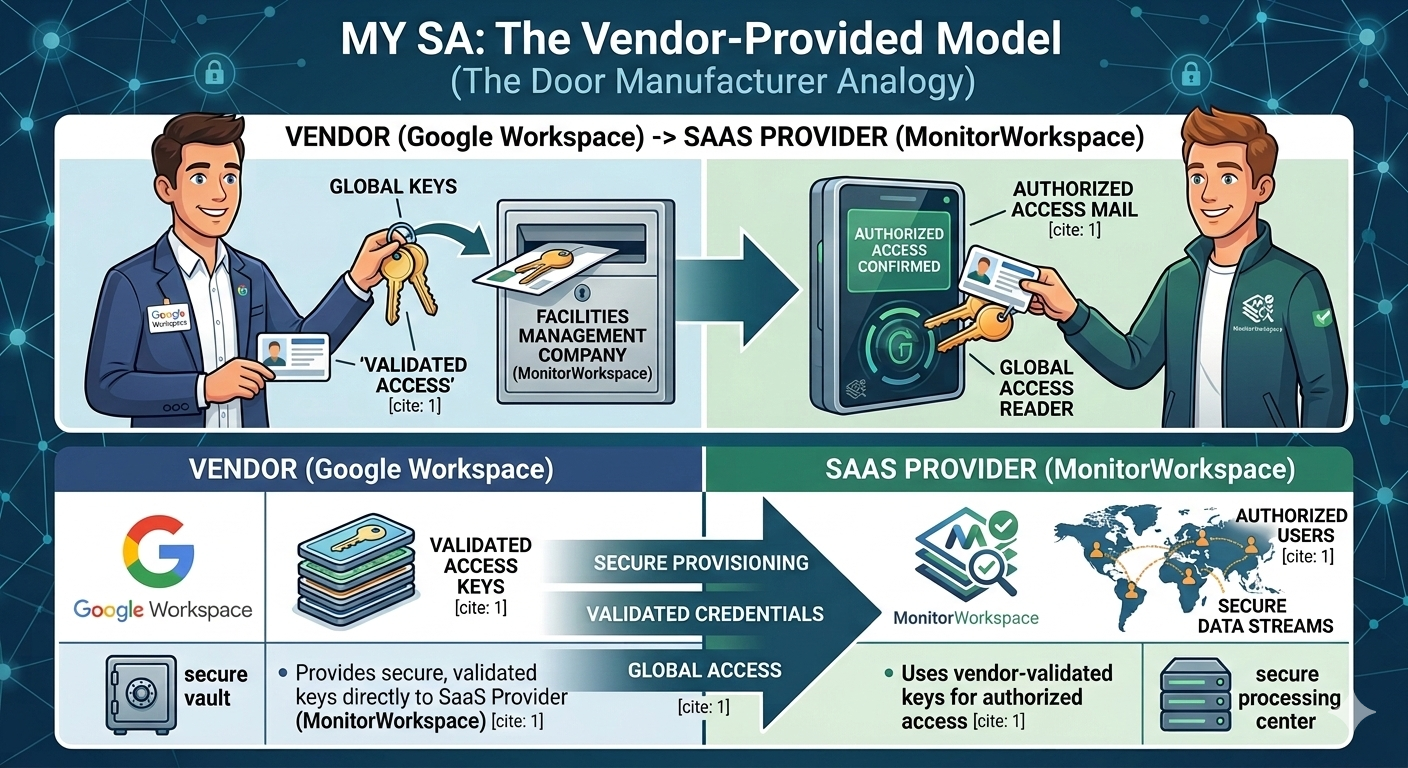
The alternative: the vendor owns the service account. It lives in the vendor's GCP project. The vendor manages the credential lifecycle. The customer never touches a key file — they just authorize the vendor's service account in their Google Admin Console.
This is the vendor showing up with their own manufacturer-approved card.
The customer's only job is authorization: go to Google Admin Console, navigate to domain-wide delegation, paste the vendor's Client ID, and specify which API scopes the vendor can access. Five minutes, no GCP project required, no key files changing hands.
But wait — if the vendor owns the SA, doesn't that mean the vendor has all the power?
Not exactly. Domain-wide delegation is an authorization grant, not authentication. In the door card analogy, the card proves who the vendor is — but the building owner decides which doors it opens.
The vendor's service account can only impersonate users in domains that have explicitly granted it DWD access. Revocation is one click in Google Admin Console → Security → API Controls → Domain-wide delegation. And the scopes are locked to exactly what the customer approved — the vendor can't escalate beyond that.
Why This Distinction Matters More Than You Think
Most IT admins evaluate SaaS vendors on features. Does it monitor email? Can it export chats? Does it audit groups? Few ask the credential ownership question: how does this tool authenticate to my Google Workspace, and who controls that credential?
Three things to check during your next vendor evaluation:
1. Where does the private key live?
If you're uploading a JSON key file, that key is now in two places — your GCP project and the vendor's infrastructure. If the vendor offers a keyless option where they own the SA and you just authorize it, the private key never leaves the vendor's controlled environment.
2. How is impersonation scoped?
Domain-wide delegation is powerful. A Google service account with DWD can impersonate any user in your domain for the scopes you've granted. Make sure those scopes follow the principle of least privilege. gmail.settings.basic (read Gmail configuration) is very different from gmail.readonly (read all email content). Ask the vendor which scopes they request for Google Workspace API access and why.
3. Can you revoke access without the vendor's help?
With the vendor-owned model, revocation is a single action in Google Admin Console: remove the DWD entry. Done. The vendor's service account immediately loses access to your domain. No support ticket, no waiting for the vendor to delete your key from their systems.
The Keyless Step Further
There's actually a third model that takes vendor-owned SA even further: keyless authentication.
Instead of the vendor's service account having a static private key (even one the vendor manages), the vendor's infrastructure gets a temporary identity from the cloud platform at runtime. On GCP Cloud Run, the compute environment provides an identity token automatically through the metadata server — no key file exists anywhere.
When the vendor needs to call Google APIs on your behalf, the flow looks like this:
- The workload receives a temporary identity from Google Cloud using Application Default Credentials (ADC)
- That identity asks Google IAM to sign a JWT for the connector service account
- The signed JWT is exchanged for an access token with domain-wide delegation
- The access token calls the Google Workspace API
Customer Domain
   │
   │ Domain-Wide Delegation
   ▼
Vendor Service Account
   │
   │ Keyless Authentication (ADC → signJwt → DWD token)
   ▼
Vendor Runtime (Cloud Run)
   │
   ▼
Google Workspace APIs
The private key never exists as a file. Google's IAM service does the signing server-side. The runtime identity is ephemeral — it rotates automatically and can't be exported.
This is like the manufacturer's card being generated fresh every time the vendor walks up to the door, with the building's access system verifying it in real time. There's no physical card to steal.
Google Workspace Vendor Security Checklist
Five questions to ask before granting access:
- "Do I need to create a GCP project and service account, or do you provide one?"
- "If I upload a key file, how is it stored and encrypted on your end?"
- "Can I revoke access from Google Admin Console without contacting you?"
- "What specific OAuth scopes does your service account request?"
- "Do you use keyless authentication, or does a static key file exist somewhere?"
The answers tell you a lot about how seriously a vendor takes credential security — and how much operational burden falls on your team.
Most small organizations — nonprofits, schools, startups with 10-50 users — shouldn't need to set up GCP projects just to use a monitoring tool. The vendor-owned, keyless model removes that friction while actually improving the security posture. The customer authorizes, the vendor authenticates, and no private key exists as a file anywhere in the chain.
That's the difference between borrowing a door card and having the manufacturer's access system handle it for you.
MonitorWorkspace uses the vendor-owned, keyless service account model described above. Customers authorize access through Google Admin Console — no Google service account key files, no GCP projects, and access can be revoked at any time.
See how it works → | Gmail governance without inbox access →
Google Workspace™, Gmail™, Google Chat™, Google Drive™, Google Groups™, and Google Vault™ are trademarks of Google LLC. MonitorWorkspace is not affiliated with or endorsed by Google LLC.